














Aviation Lubricants and Greases

Aviation Tires

Aircraft Parts

Helicopter Parts

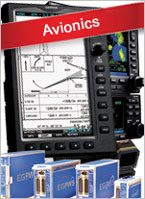
Avionics

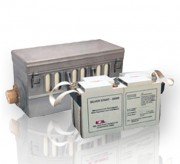
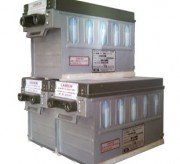
Batteries

Survival Equipment

Jeppesen product and services

Garmin product

Contact
Switch to Russian Version


Head Office
United Arab Emirates
Sharjah International Airport

tel.: +971 6 5570710
fax: +971 6 5570495
Sales:
sales@trast-aero.com


Peru, Lima

tel/fax: +51 1 5618847
tel.: +51 1 98828210
sales@trast-aero.com


Colombia, Bogota

tel.: +571 415-8215
       +571 413-3951
sales@trast-aero.com


Venezuela, Caracas

tel.: + 58 414 9994240
sales@trast-aero.com


Jordan, Amman

tel.: +962 79 9413334
sales@trast-aero.com


Republic of Congo, Brazzaville

tel/fax: +242 5339575
sales@trast-aero.com


Djibouti, Djibouti

tel.: +971 5 03002094
sales@trast-aero.com


Russia, Rostov-On-Don

tel.: +7 918 5002499
sales@trast-aero.com


Ukraine, Kharkov

tel.: + 38 067 5461919
       + 38 050 6184294
sales@trast-aero.com


Ukraine, Kiev

tel.: + 38 067 2090923
sales@trast-aero.com


Kazakhstan

kazakhstan@trast-aero.com


Kyrgyz Republic, Bishkek

sales@trast-aero.com


Moldova

sales@trast-aero.com


Sao Tome
tel.: +239 241450
fax: +239 225218
sales@trast-aero.com


AVIA-BOARD.COM - пїЅпїЅпїЅпїЅпїЅпїЅпїЅ-пїЅпїЅпїЅпїЅпїЅпїЅ. пїЅпїЅпїЅпїЅпїЅпїЅпїЅпїЅпїЅ. пїЅпїЅпїЅпїЅпїЅ пїЅпїЅпїЅпїЅпїЅпїЅпїЅпїЅпїЅпїЅпїЅпїЅпїЅпїЅ.


Jeppesen » Charting and Navigation Services » IFR Chart Services » Electronic Charting Services - JeppView


Aquiline Int’l Corp. LTD and it’s Trade Division TRAST Inc. has been appointed Authorized dealer of Jeppesen

Electronic Charting Services - JeppView

Overview

JeppView and JeppView FliteDeck Electronic Charting Services
JeppView services provide you with full color, high-quality vector-based electronic approach charts, as well as electronic enroute charts that can be customized in a variety to user-defined configurations to meet your intended use. JeppView contains all the same information as our Airway Manual coverages providing you with electronic terminal approach charts, arrival and departure procedures, and airport diagrams.

Additionally, electronic enroute charts are provided that enable you to plan routes from departure to destination, enabling you to view and print those charts to use as a backup. Electronic text has also been added to eliminate the need to carry paper text with you. Paper enroute charts, and area charts round out these services.

Keeping Your Charts Up to Date
A new CD-ROM is issued every two weeks to keep your revision-service current, or you can utilize our state-of-the-art on-line update capability over the internet to do your revisions utilizing a broadband or dial-up connection.

Now With FliteDeck
The JeppView Service now comes standard with JeppView FliteDeck, which provides the capability to view enroute and terminal charts, electronic text, and when used with GPS, provides a Moving-Map capability in an application that is optimized for use in the cockpit of your aircraft. (GPS receiver not included with FliteDeck)

Each JeppView configuration includes a combination of software applications and data sets to support the intended use. (Computer hardware not included with JeppView service)

JeppView and JeppView FliteDeck Demo

To view an interactive flash-demo on the new JeppView FliteDeck

  1. Click the JeppView FliteDeck link.
  2. Open the executable file through the File Download dialog box.
    NOTE: The download time will vary depending on your internet connection speed. The file size is approximately 16.5 MB.
  3. Continue with one of the following that applies to your setup:
    • If you already have JeppView3 installed, the tutorial automatically extracts the files at Jeppesen\Common\Training\JeppView FliteDeck updating the existing tutorial.
    • If you do not have JeppView3 installed, designate a location for the files to be saved on your hard drive.
    • Once the installation is complete, select Launch Interactive Training Application.

Components & Requirements

JeppView Software - The following software applications are used in various configurations below.

  • JeppView Viewer Software - provides you with access to view and print JeppView terminal and print JeppView terminal and enroute electronic charts from a ground-based PC.
  • JeppView FliteDeck Software - provides quick access to electronic enroute and terminal charts for in-cockpit use, as well as providing a Moving-Map display when used with GPS (GPS unit not included with JeppView software).
  • Data Loader Software - this software is used to transfer JeppView chart data from a ground-based PC to your flash memory card for installation into a panel-mounted display.

JeppView Chart Data Sets - there are two JeppView data sets that are used in the configurations below to meet various uses.

  • JeppView Standard Chart Data - this data set is intended for ground use only.
  • JeppView Geo-Referenced Chart Data* - this data serves the same function as the standard data on the ground but when used in the air, it provides the ability to display your aircraft position over the plan view portion of the approach chart and the enroute chart if you have a GPS signal feed. Each feature in the plan view is verified for lat/long accuracy to assure accurate representation of the aircraft position relative to the chart image. (*Not all charts are geo referenced)

JeppView System Requirements

  • PC with Pentium 2 Processor or equivalent (233 MHz)
  • Windows 2000, WindowsXP, or MX XP Tablet OS.
  • CD-ROM Drive
  • 400 MB Hard Drive Space for Charts and Software
  • 800 x 600 Resolution or Better (portrait orientation for JeppView with FliteDeck)
  • 56K dial-up Internet connection
  • 600 dpi or Better Windows Compatible Printer
  • UPSAT Chart View Module Required for JeppView MX20

Multi User Awareness Information

The JeppView Service allows a Multi-User functionality with regard to licensing the application to a group of users. Customers that have requirements to license to multiple users within their organization can order JeppView for multiple users while only having to maintain one serial number for referral in dealing with their customer account.

JeppView can be maintained on a centralized server—for example, in a flight operations department—that allows multiple users to access electronic data from a centralized server based on a multiple-user license agreement. Users can download updates and revisions via the internet, as well as utilizing the common-file standard routes that are used routinely in organization. If you have a multi-user requirement, please contact your Jeppesen customer service agent for information to register.

Printing from JeppView

Important note about printing from JeppView
Unless used on computers specifically designed for the cockpit environment, and in consideration to applicable FAA FARs and Advisory Circulars, Jeppesen recommends printing charts from JeppView prior to flight. JeppView provides extensive chart printing options, including a RoutePack printing capability with departure, destination, alternate and contingency airports. Chart printouts look best when printed in color and at high resolutions (minimum 300 dpi). Many Jeppesen charts include complex or dense graphical information that challenges some printers. Most printing problems are avoided by using current print drivers and following any other printer manufacturer requirements and recommendations for complex graphics.

JeppView for Cockpit Hardware

 JeppView for Multi-function Displays (MFDs)
Designed to integrate Jeppesen charts with the latest MFDs to greatly reduce the amount of paper carried on board the aircraft. Also provides PC utility that allows for planning and printing/viewing of all charts in your coverage area.

What's Included:
  • JeppView viewer application allows you to view and print Jeppesen charts (approach, arrival, departure, airport and class B airspace) from a ground-based PC for flight planning purposes.
  • The Jeppesen Services Update Manager Application allows you to export Jeppesen charts (approach, arrival, departure, airport and class B airspace) to your on board multi-function display for inflight use.
  • JeppView electronic chart data allows you to update your Jeppesen charts (approach, arrival, departure, airport and class B airspace) every 14 days.
  • JeppView electronic text pages allows you to update your Jeppesen text pages. Updates are issued only as required.
  • Paper Enroute Charts and Area Charts are included with your JeppView for Multi-function Displays service. Updates are issued only as required.

 JeppView for the ProLine 21
Working together, Jeppesen and Rockwell Collins are tranforming vision into reality-by making tomorrow's technology available to pilots today. With ProLine 21 Continuum, Jeppesen's fell-feature, vector graphic charts can be easily viewed on large, "eyes-up" flat panel LCD displays-optimizing readability and performance for pilots.
The state-of-the-art functionality of Jeppesen's electronic charts works with the system's 3-D flight path mapping, and multi-sensor navigation capabilities to deliver enhanced situational awareness and seamless takeoff-to-touchdown flight guidance.

 JeppView for the Gulfstream CT-1000
Designed to integrate with CT-1000 hardware. Also provides PC utility that allows for planning, printing, and viewing. Available for coverages worldwide.

  • JeppView FliteDeck for Gulfstream CT-1000G (Single Configuration)
    Integrates with the Gulfstream CT-1000 display hardware and includes software which allows for planning, printing, and viewing from a ground-based PC. Available for coverages worldwide. New content mailed every 14 days via CD-ROM. Paper enroute charts mailed every 28 days.
  • JeppView FliteDeck for Gulfstream CT-1000G (Dual Configuration)
    Integrates with the Gulfstream CT-1000 display hardware and includes software which allows for planning, printing, and viewing from a ground-based PC. Available for coverages worldwide. New content mailed every 14 days via CD-ROM. Paper enroute charts mailed every 28 days.

 JeppView for the Universal Cockpit Display (UCD)
Designed to integrate with UCD hardware. Also provides PC utility that allows for planning, printing, and viewing.


© Copyright 2002-2008. TRade Aero Space Technologies LTD. All Rights Reserved